
AI Construction Estimating Software for Builders, Remodelers & Trades

Turn project scope into an itemized estimate

Turn project scope into an itemized estimate with materials, labor, and quantities you can edit. Start with typed or spoken scope, or use plans and images to support your estimate. Review your quantities, costs, tax, and markup before preparing a client-ready quote.

No credit card required.

ITEMIZED
ESTIMATES
REVIEWED
QUANTITIES
CONNECTED
WORKFLOWS

Why Choose CountBricks?

  • Reviewed AI Assistance: Use typed, spoken, image, and document context to draft line items and assumptions. Review quantities, scope, configured costs, tax, and markup before use.
  • Plan And Image Takeoffs: Upload plans or photos, confirm scale, measure lengths and areas, count items, and move reviewed quantities into supported estimate workflows.
  • Built for Contractors & Trades: Whether you’re a general contractor, a remodeler, or a specialized trade (plumber, electrician, HVAC, handyman), CountBricks adapts to your needs. Use it for everything from quick fix-it jobs to multi-room renovation estimates.
  • Connected Construction Records: Keep estimates, proposals, changes, invoices, documents, and client records in connected workflows without promising business outcomes.
  • Typed, Voice & Mobile Workflows: Simply speak your project scope or type it in – our software supports typed and voice-assisted scope refinement on supported web and mobile experiences, with device-specific limitations.
  • No Credit Card to Get Started: Try CountBricks with a risk-free trial. No credit card required to experience how AI can streamline your estimating process. Get started in minutes and see the difference on your very next bid.

CountBricks connects estimating, takeoffs, quotes, changes, and invoices in one construction workflow. Review scope, quantities, and client documents before sharing them.

AI for Construction Estimating (How It Works)

Move from the job description to editable estimate lines and a client-ready quote. The example below shows what to supply, what to check, and what to share; your project quantities and prices remain under your control.
  • Upload plans or describe the job - Upload a PDF plan set (or start with a quick description of the scope). CountBricks captures the details you’d normally pull out manually.
  • Review takeoff quantities - Upload plans or images, confirm scale, measure lengths and areas, count items, and review quantities before using them in an estimate.
  • Build an itemized estimate - Organize reviewed quantities into material and labour line items. Edit items and configured costs to match the project scope and company settings.
  • Prepare a client-ready proposal - Export a clean, client-ready proposal/quote and keep everything organized for follow-ups, revisions, and approvals.
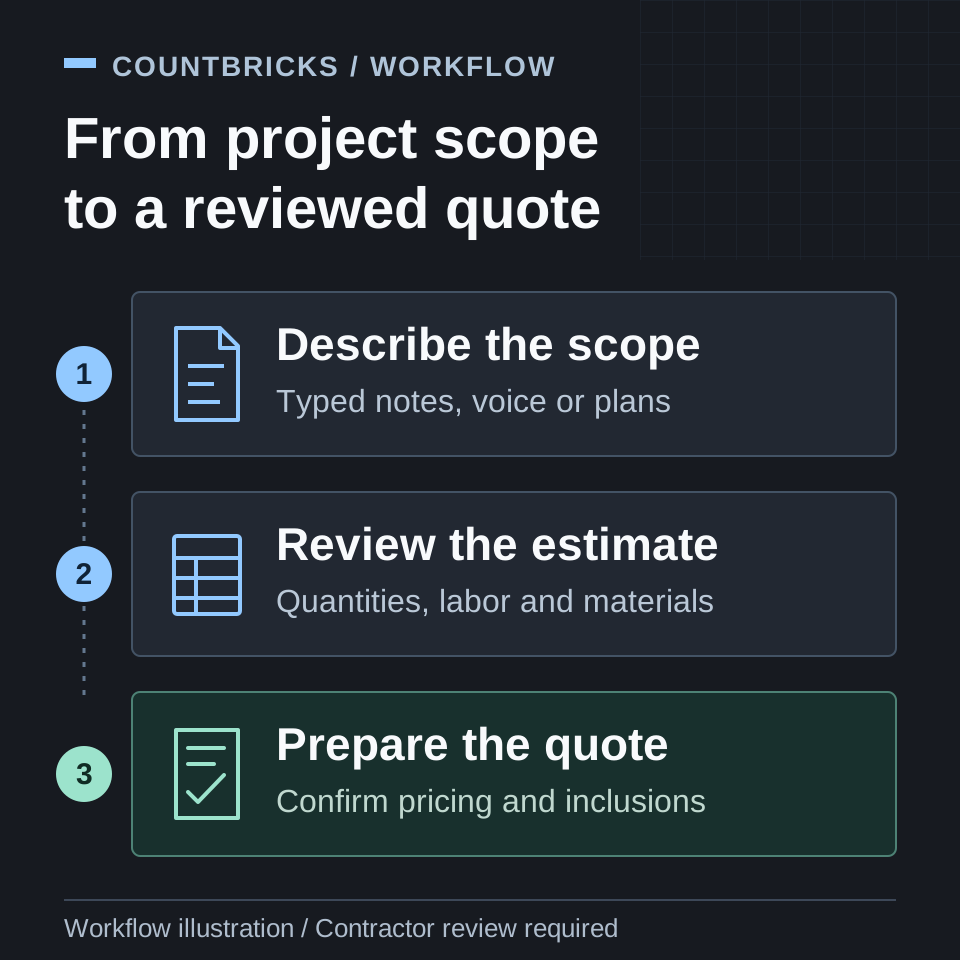
Illustrated construction estimating workflow: describe scope, review quantities and costs, then prepare a client quote.

Workflow illustration: describe the scope, review quantities and pricing, then prepare the quote. This is an explanatory graphic, not an app screenshot.

Example: turn a room repaint into a quote

1. Supply the scope. Describe the room, the surfaces to paint, preparation work, and the finish you want. For example: repaint the bedroom walls and ceiling, include surface preparation and two finish coats, and exclude doors and trim.

2. Review the estimate. Check the proposed preparation, materials, and labor items. Enter or confirm measured areas, product coverage, labor rates, waste allowances, tax, and markup. Add missing scope and remove work that is not included.

3. Prepare the quote. Use the reviewed estimate to prepare a client-facing quote. Make the included work, exclusions, allowances, and pricing clear before sharing it.

CountBricks estimate screen showing editable item quantities, costs, prices, and markup.

Existing CountBricks product screenshot. The room repaint above is an illustrative workflow, not the priced output shown in the screenshot or a customer result.

Explore the itemized construction estimating workflowSee how plan takeoffs support estimate quantities

Try it free today

start a free trial

It is completely free and takes 2 seconds!

>
Starter plan features

Get started with the 7-day free trial and build accurate AI estimates in seconds.

>
Pro plan for large teams

Unlimited AI estimates and advanced features.  

4.8 Star
avg. app rating
5/5
SOFTWARE ADVICE

Browse Guides

Start with a city hub for local pricing signals, or use topic hubs to find trade-focused cost guidance and related estimating resources.
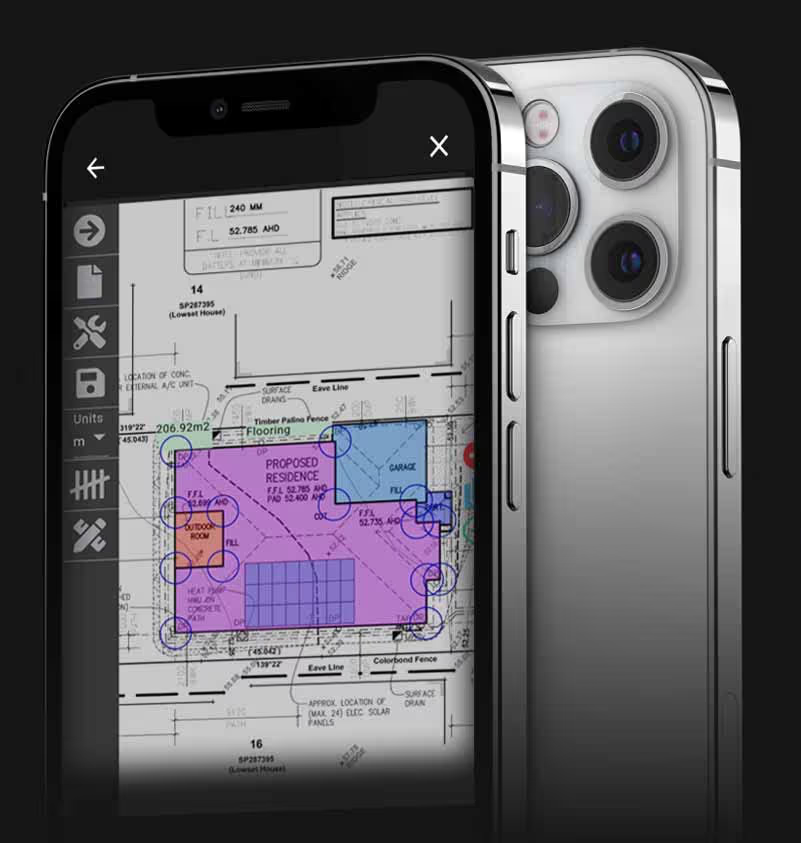
Measure Plans

REVIEW BEFORE SEND

Build reviewable estimates with typed or voice-assisted scope, plan and image context, and itemized materials, tasks, quantities, labour, tax, and markup. Use supported web and mobile experiences with device-specific limitations.

iPhone showing items screen

Create an AI-Assisted Estimate

Review scope and quantities

CountBricks supports construction estimating on web and mobile with reviewed materials, tasks, quantities, labour, configured costs, tax, and markup. Confirm project inputs before preparing client documents.

iPhone showing estimates screen

Use CountBricks on Web and Mobile

Straightforward to Use

Use supported web and mobile experiences to capture scope, review estimates, work with takeoff quantities, and prepare client documents. Available features and workflows can vary by device.

iPhone showing items screen

See how CountBricks connects estimating, takeoffs, quotes, changes, and invoices.

OUR MISSION

CountBricks supports small builders and trades with reviewable estimates, connected project records, and client documents across supported workflows.