

Mission house numbers—those bold, craftsman-inspired numerals often seen on bungalows and Spanish revival homes—may look like a minor upgrade, yet they carry outsized influence on curb appeal, safety, and resale value. For residential contractors, choosing and installing the right set can feel deceptively simple until unexpected variables creep in: wall composition, finish compatibility, local code requirements, or last-minute material shortages. Installation costs typically range from $150 to $350, depending on materials and labor. Streamlining the process ensures a data-driven, cost-controlled success story.
• Clean, rectilinear lines that mirror classic craftsman trim
• Oil-rubbed bronze, matte black, or weathered iron finishes that pair with stucco and shiplap alike
• Oversized height for readability from the street without overpowering delicate façade features
Because mission house numbers occupy the front-and-center real estate of any residence, material and placement decisions should align with the broader architectural vocabulary. Design libraries map style guides to SKU-level pricing in seconds, ensuring aesthetic consistency and budget transparency before the first pilot hole is drilled.
Traditional bids often treat address numbers as an afterthought—lumped into “hardware” or “miscellaneous” lines that hide true material and labor costs. This leads to:
• Scope creep when clients request upgraded finishes
• Delays if specialty fasteners or weather-resistant coatings are missed in takeoffs
• Margin erosion when installers underestimate ladder time or wall prep
Eliminating guesswork with voice-enabled estimating captures field notes in real time, converts them into structured line items, and applies live pricing from regional suppliers. Contractors receive an instant cost breakdown—mission house numbers, corrosion-proof screws, sealant, labor hours—within a shareable PDF quote.
1. Site check: Confirm visibility angles and local fire code height regulations.
2. Surface prep: Clean stucco or siding, patch cracks, and mark pilot points with painter’s tape.
3. Layout alignment: Use a laser level for horizontal baselines; mobile apps store measurements for later reference.
4. Drill and anchor: Choose masonry bits or wood bits based on substrate; install rust-proof anchors.
5. Mount digits: Hand-tighten screws, then add a silicone seal behind each standoff to prevent moisture.
6. Final audit: Snap photos, upload to portfolio, and auto-generate the completion report.
• Order an extra digit of each number to hedge against shipping damage
• Match screw heads to finish; a shiny zinc cap ruins a deep bronze look
• Back-paint cut edges on raw metal numbers to block corrosion
• Use spacers for a shadow-mount effect that elevates the craftsman appeal
• Log installation torque in the voice app—future maintenance teams will thank you
While blueprints rarely flag address numbers explicitly, AI scans elevations and tags missing details. During a recent California bungalow renovation, blueprint takeoff auto-generated a line item for 8-inch mission house numbers, matched them to compatible masonry anchors, and forecasted a two-hour install window. The result: the GC closed the scope gap before demo day, saving a potential change order.
Mission house numbers rarely travel alone. They often coincide with new porch lights, mailbox upgrades, or fresh paint schemes. Bundling these micro-projects into a single estimate allows clients to see the holistic cost and design synergy. Contractors can:
• Offer tiered packages—basic powder-coat digits up to custom forged bronze sets
• Specify complementary lighting fixtures sourced from the same vendor list
• Lock pricing for paints, primers, and sealants in one voice command
Once installation is complete, one-click invoicing pulls directly from the approved estimate. Attach progress photos, note any punch-list items, and send the final invoice before you step off the property. Homeowners appreciate the professionalism; contractors appreciate the accelerated cash flow.
Whether you’re retrofitting a craftsman cottage or building a new ADU, mission house numbers are the finishing touch that sets the tone. Start a voice estimate today and see how effortless precise, design-driven installs can be.
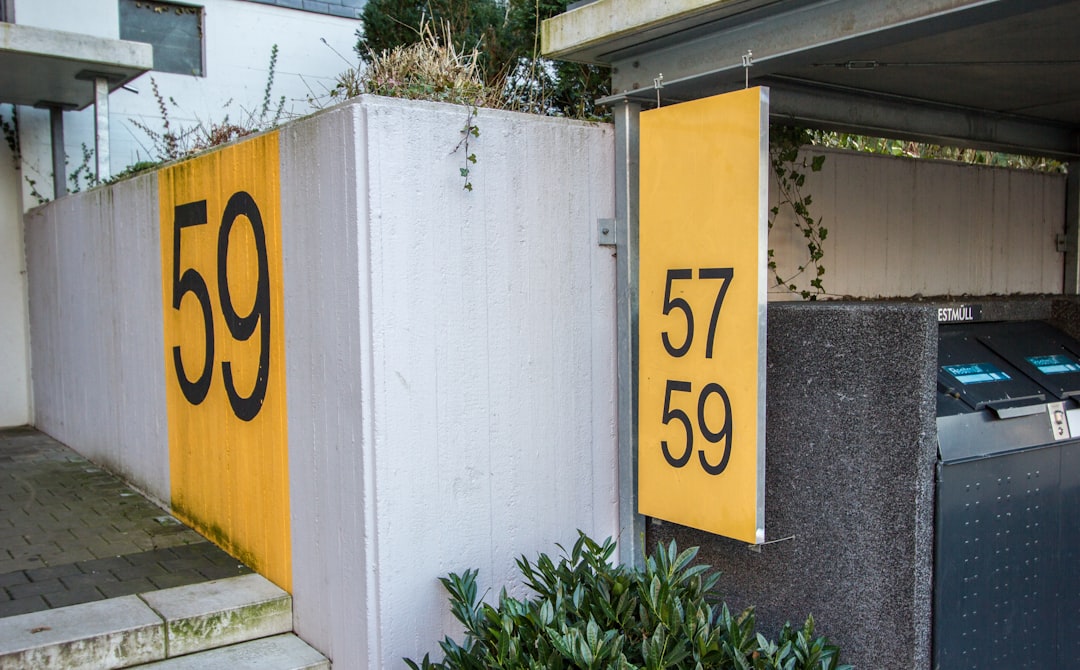
During a recent exterior refresh in coastal San Diego, the homeowner wanted 10-inch oil-rubbed bronze mission house numbers to complement new cedar shutters. The GC opened the mobile app, dictated the scope, and received a live material and labor estimate in under two minutes.
• Digits (oil-rubbed bronze, 10-inch): $150
• Stainless steel standoffs and anchors: $20
• Surface prep materials: $20
• Labor: 2.25 hours at $65/hr = $145
• Contingency (5%): $15
Total projected cost: $350 — all visible to the client before approval.
• Blueprint sync: Detected the south-facing wall’s 12-foot height and suggested ladder type and safety PPE.
• Procurement: Materials list synced to the supplier portal; pickup was confirmed within the hour.
• Install efficiency: Actual on-site labor clocked in at 2.1 hours—saved 9 minutes thanks to pre-measured pilot marks stored in the app.
1. Front-load design choices. Mission house numbers vary in kerning and weight; clarifying fonts early prevents reorder delays.
2. Record torque specs. Logging driver settings safeguards against future digit loosening.
3. Bundle small tasks. Adding mailbox repainting to the same work order increased project value by 18% with no extra trip.
Ready to replicate this efficiency on your next residential upgrade? Visit our site to schedule a live demo. We’ll show you how voice estimates, AI takeoffs, and automated quotes turn a three-digit address into measurable profit.
